Case Study
Roaming Zone

Design and deliver the ‘Roaming Zone’ interactive point of sale
My role
Product Owner
Lead Designer
Skills
UI/UX Design
Motion Graphics
Project Management
Suppliers liaison
Procurement
Tools
InVision
Photoshop
Illustrator
After Effects
DELIVERY
User flows
Wireframes
High-fidelity prototypes
POS designs for production
1. Introduction
ABOUT
Ekit was a global provider of integrated travel communications with products like mobile phones and SIM cards.
ekit was acquired by the JT group in 2011 and ran for ten more years when the brand was officially absorbed by JT.
The Project
One of ekit’s most successful sales channels were tech stores located in airports around the USA. In these stores, ekit displayed their products using traditional retail stands but was now offered the opportunity to showcase an interactive POS similar to the other brands in store.
SOLUTION
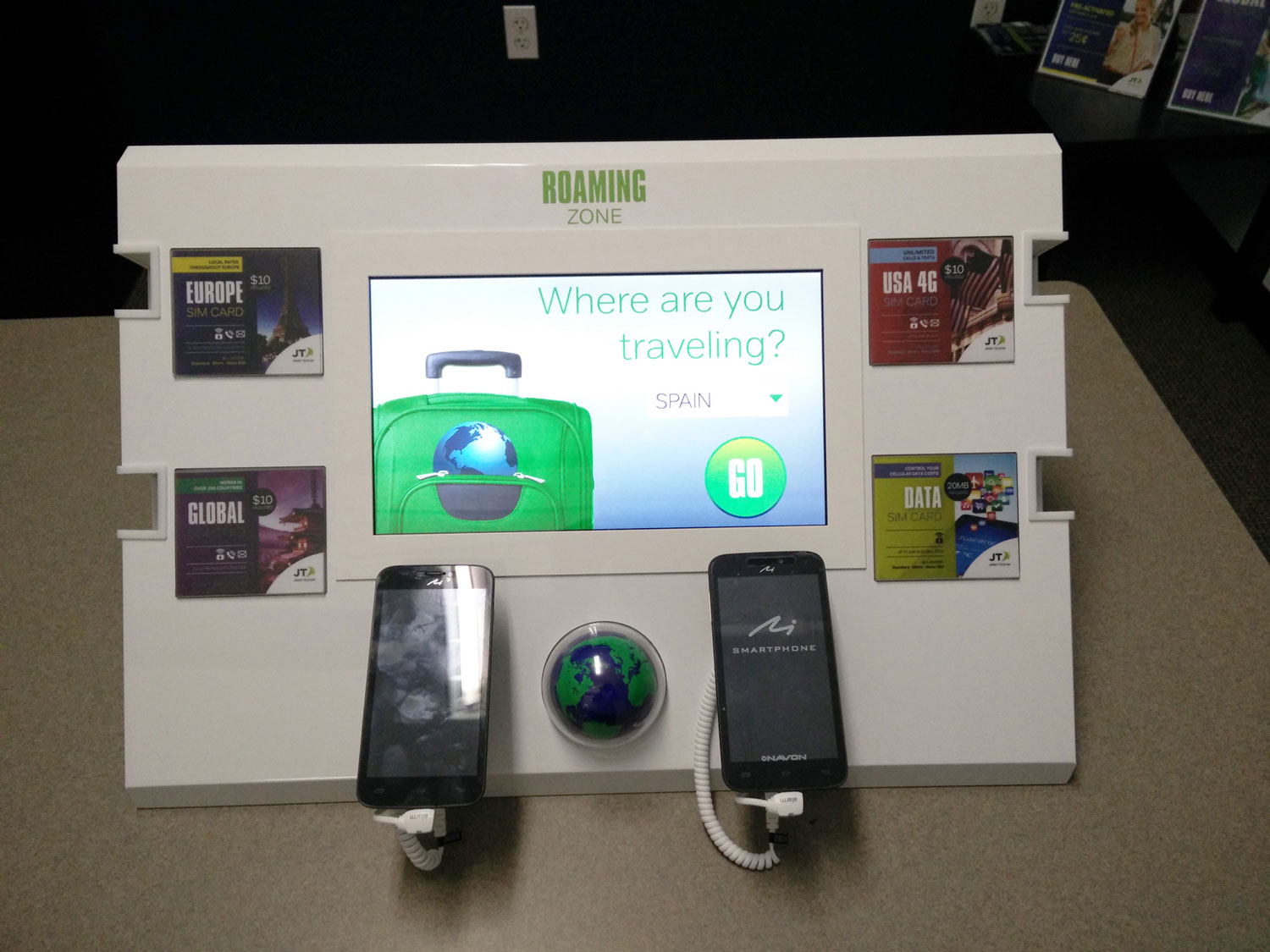
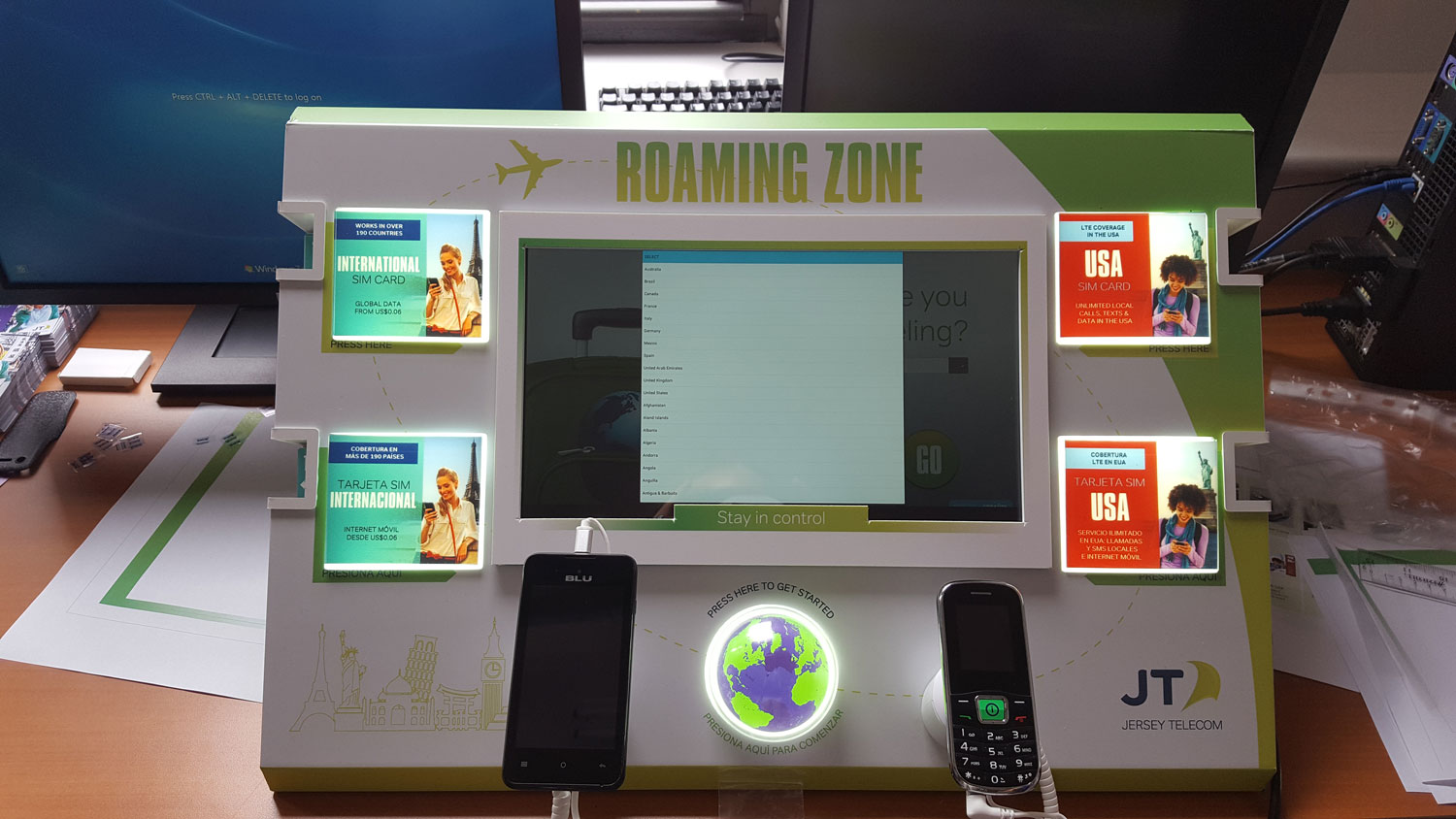
I designed and delivered a custom digital POS with the name of ‘Roaming Zone’. It featured ekit’s most popular products for travellers, including SIM cards and mobile phones and provided information about some of the most famous travel destinations.
My role
I was the Product Owner for the Roaming Zone project, responsible for managing the process from beginning to end. I also designed the physical structure and the app/interface. I liaised with the main supplier and coordinated distribution of the final units across the different airport locations in the USA.


2. Scope
Project requirements
The main requirements that I would need to take into account for this project were:
- The size of the physical unit should not exceed the dimensions provided by the store.
- The minimum number of units to produce was 50
- The unit should be able to remain online even without wi-fi.
- The unit should be easy to transport.
- The content within the app should be engaging.
- Users should be able to interact with the unit not only via the touchscreen but also via physical buttons.
Suppliers
One of my main tasks at the start of the project was finding the right supplier, someone who could produce the physical unit as well as develop the app running within it. I engaged with several companies in the US as well as Europe before reaching an agreement with a digital POS specialist in Hungary.
Research
In parallel with talking to suppliers, we set to define the audience for whom we would be designing. We analysed user data collected through our sales channels and systems, including demographics, product usage patterns and customer feedback among others.
We also received useful information from the stores in regards to their other POS.
Finally, we ran several brainstorming sessions with our account managers in the US, who had been responsible for the airport stores for several years.
Main international holiday destinations for our US audience were: Spain, France, Italy, Brazil, Australia, Mexico, Canada, and the UK
Some store locations like Miami required content in Spanish as well as English
Our US SIM card product is highly popular among international students visiting the US.
3. Users
Audience
International travellers seeking an affordable way to stay connected while overseas.
Personas
I designed the Roaming Zone POS and app for 2 main types of users:

US travellers visiting other countries
This first group of people consisted mainly of leisure travellers flying to Europe, Brazil, Australia and other popular holiday destinations. They have a basic understanding of technology and are constantly using data to either communicate with friends and family back home or to use social media.

International travellers visiting the USA
The second group included people visiting the USA for holidays as well as international students staying in the country for more than 6 months. Same as the first group this would be people with heavy data usage but usually with a better understanding of technology.
User Flows
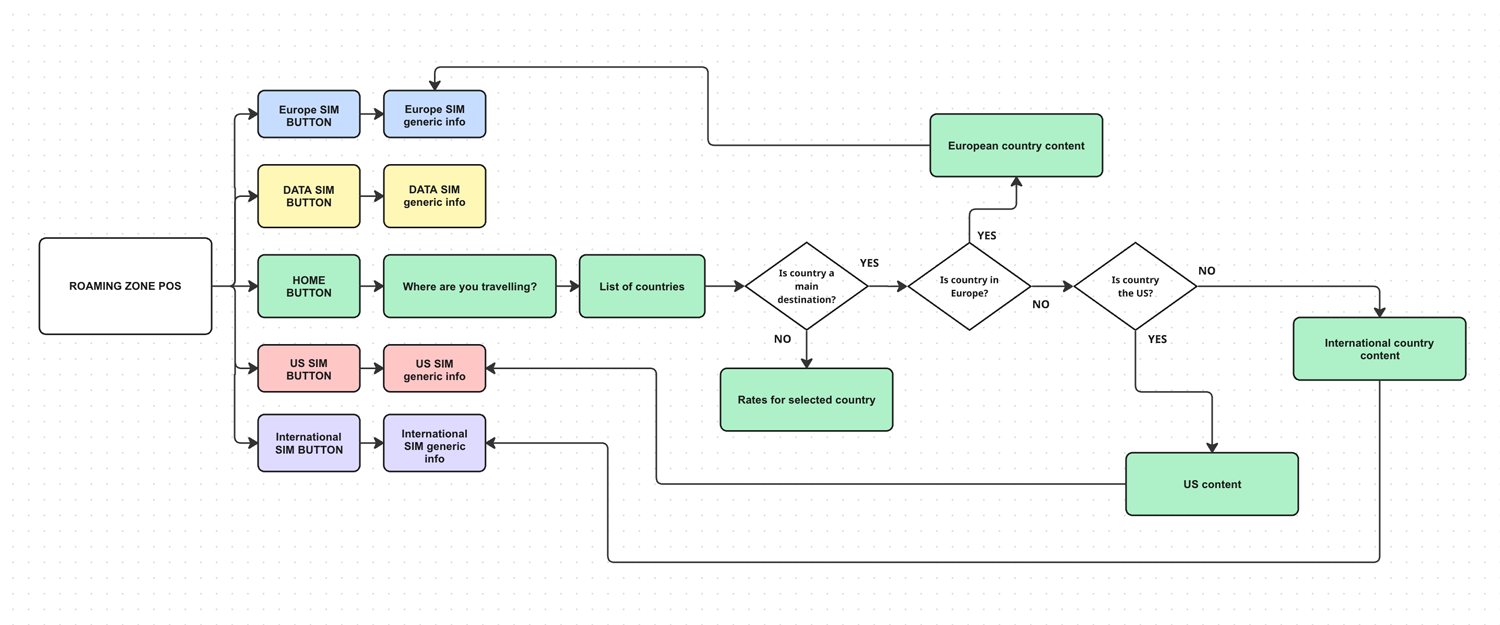
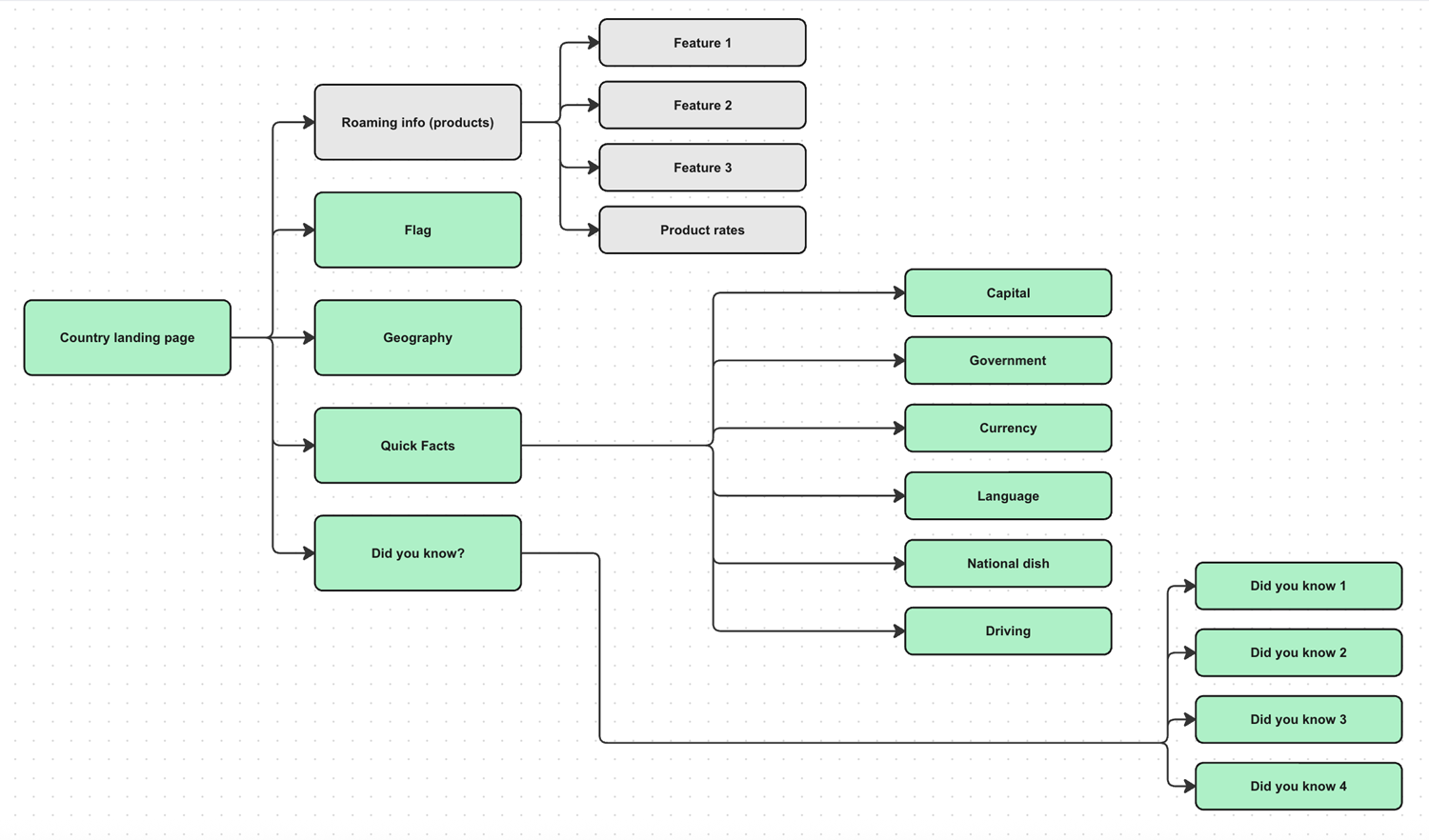
The aim of this project was to create a POS that allowed interaction not only via the touch screen but also using physical buttons. The below are a couple of examples of the several user flows I created to better approach the physical design of the unit as well as the app structure and content.
Main user journey
App user journey (for each country)
4. Design
Physical unit
The first challenge that I tackled was designing a structure that could hold a tablet, follow the dimensions restrictions and could display physical functioning buttons. Apart from the airport store guidelines, a lot of work went into sourcing the right hardware and material for our budget.
Once the structure and materials were finalised, I proceeded with the design of the graphic elements and buttons.

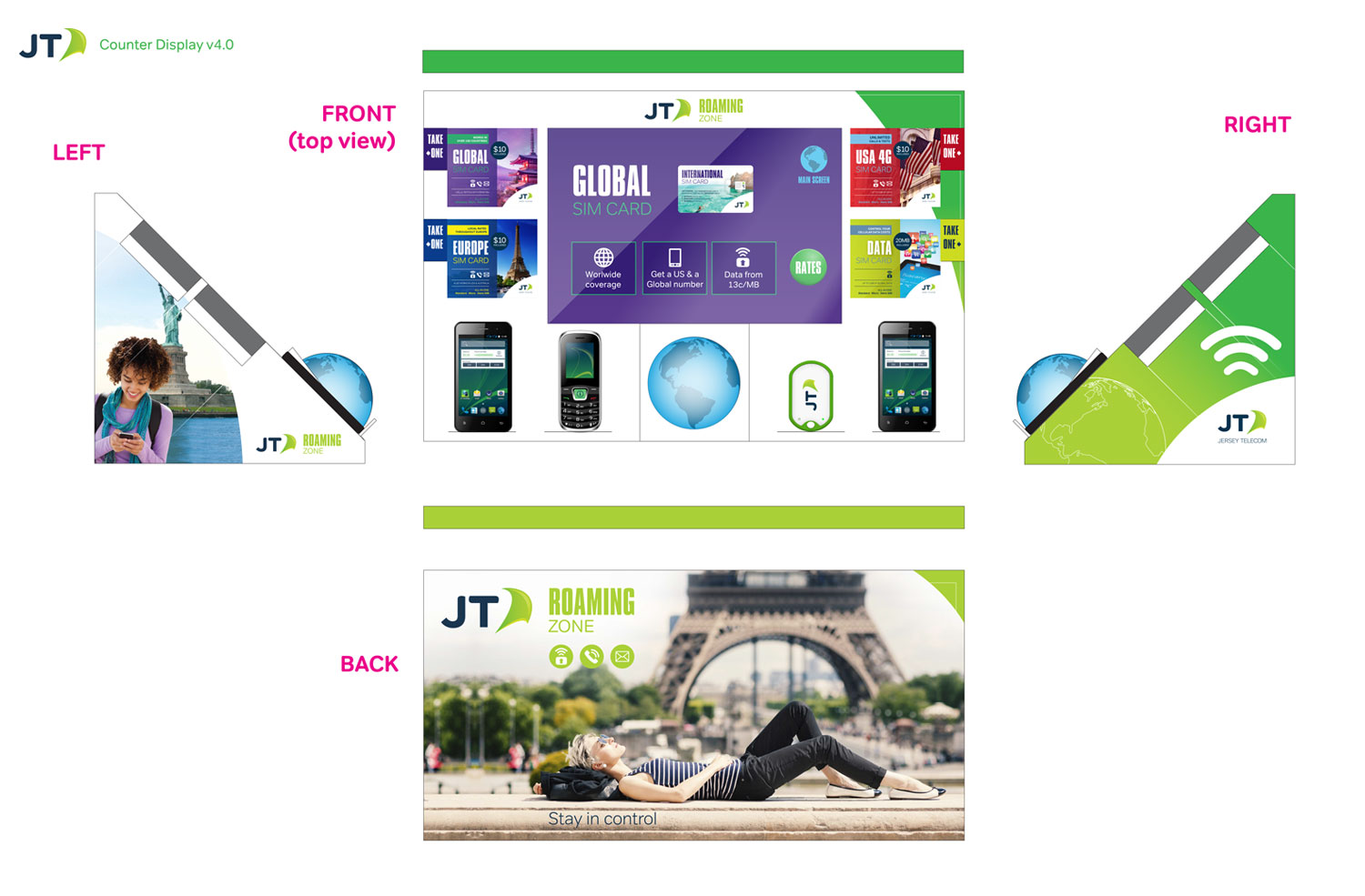
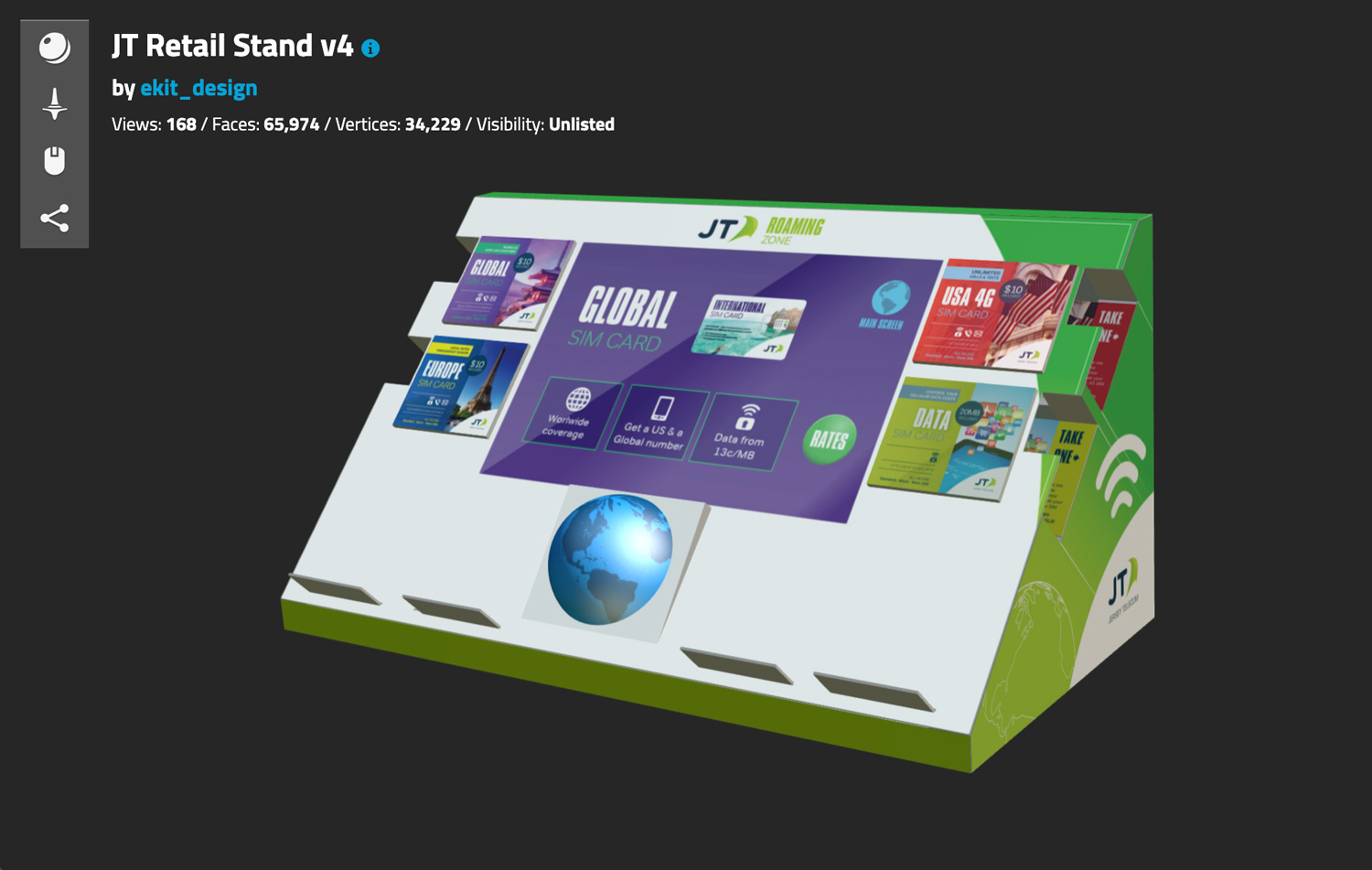
After the designs were approved, I built a 3D model to share with the supplier and all stakeholders. An online version of the 3D model is available by clicking on the image or via the link below .
The APP
The next step in the design process was the app that would be running in the POS. The overall structure is quite simple, a linear navigation in a slideshow type of format.
I sourced and compiled all the content including the text and graphics and proceeded to design each screen. I then sent the designs to the supplier in Hungary. They created the final version of the app and loaded it to the physical unit.


5. Development
PROTOTYPE
I provided the supplier with the final blueprints for the unit and all the content for the app. They then proceeded to produce a couple of prototypes for us which were delivered to our Australian and US office.
Testing
Most of the testing took place in the US office. We organised several sessions with volunteers from the CX team who would complete assigned tasks on the app and verify the durability of the physical components.
6. Delivery
Roaming Zone Interactive POS
The following photos show the Roaming Zone POS on display in Jersey UK, Atlanta GA and Dallas TX.


